July 2nd, 2026
Booking Approval is Here!
You asked for more control over bookings before customers pay — and it's now available!
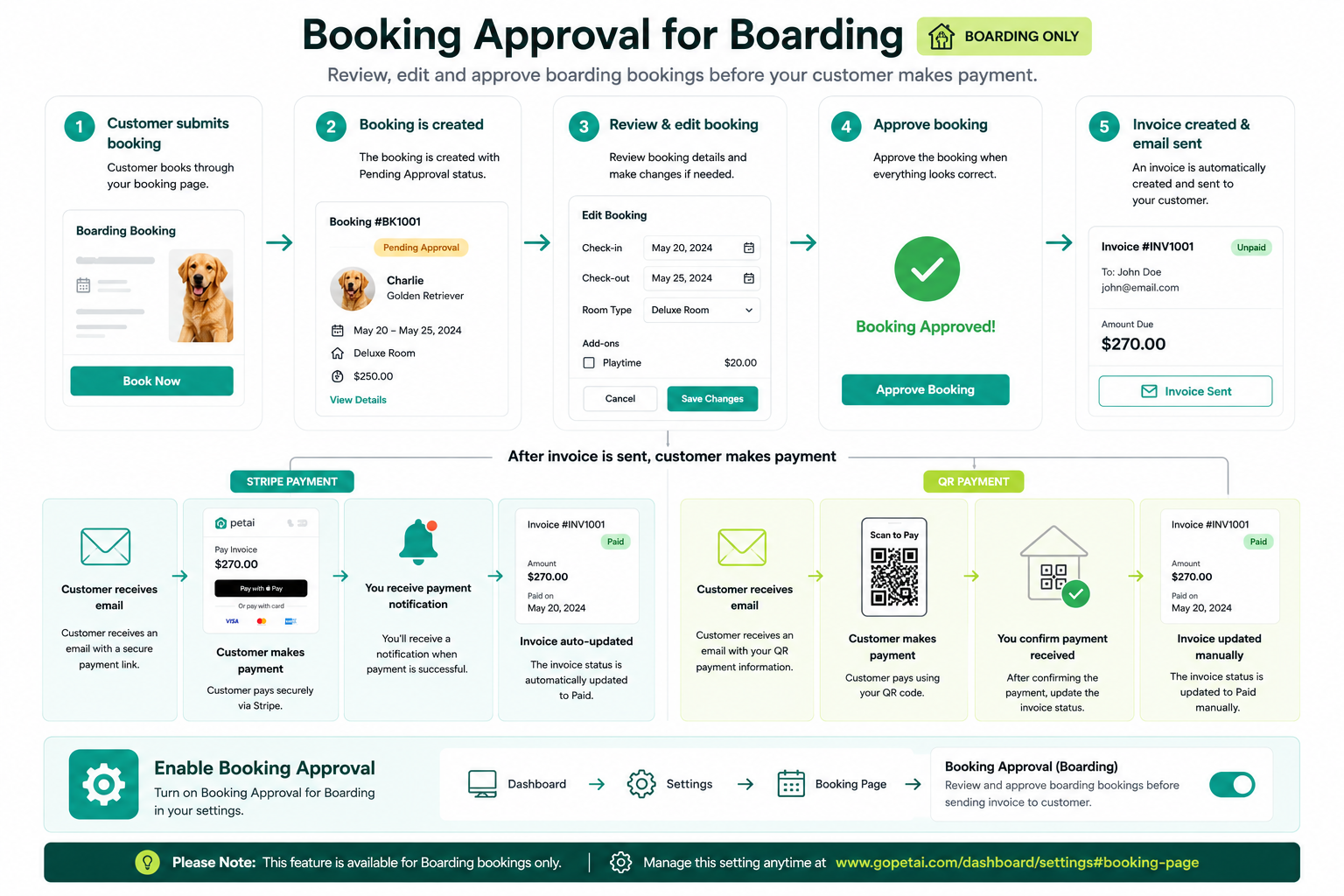
With the new Booking Approval feature, you can review and edit bookings before sending customers their payment request.
Note: This feature is currently available for Boarding bookings only.
How it works
Customer submits a booking through your online booking page.
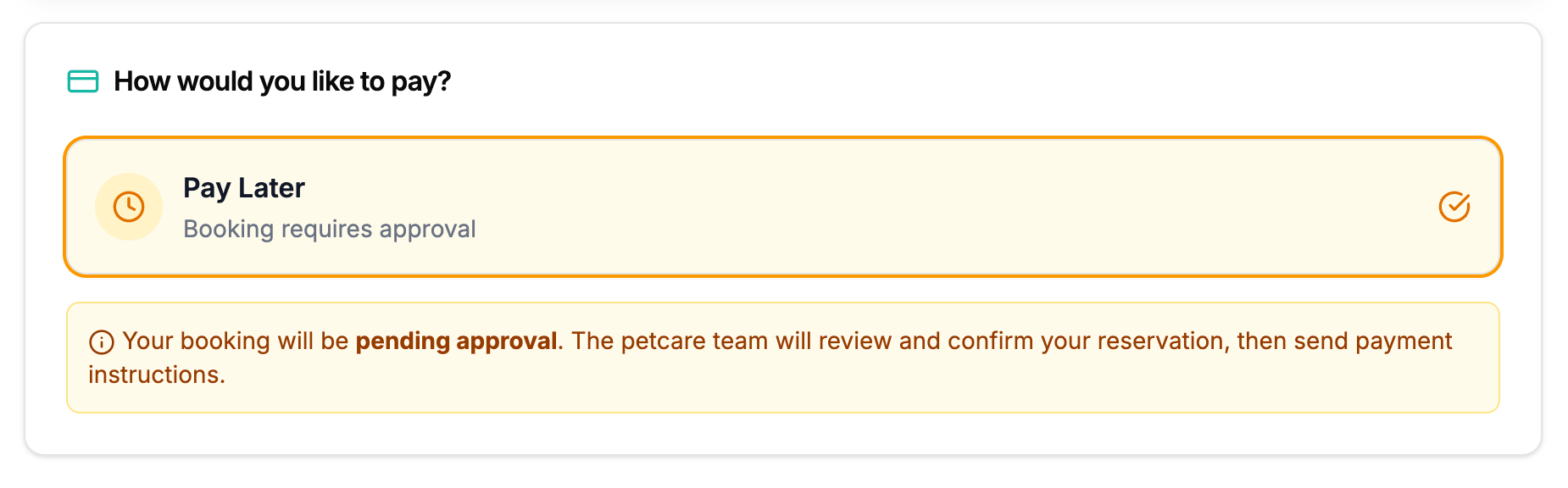
The booking will be marked as Pending Approval.
Review and edit the booking if needed (services, dates, pricing, add-ons, etc.).
Approve the booking once everything looks correct.
An invoice is automatically created and sent to your customer.
Payment Options
💳 Stripe
If Stripe is connected to your account:
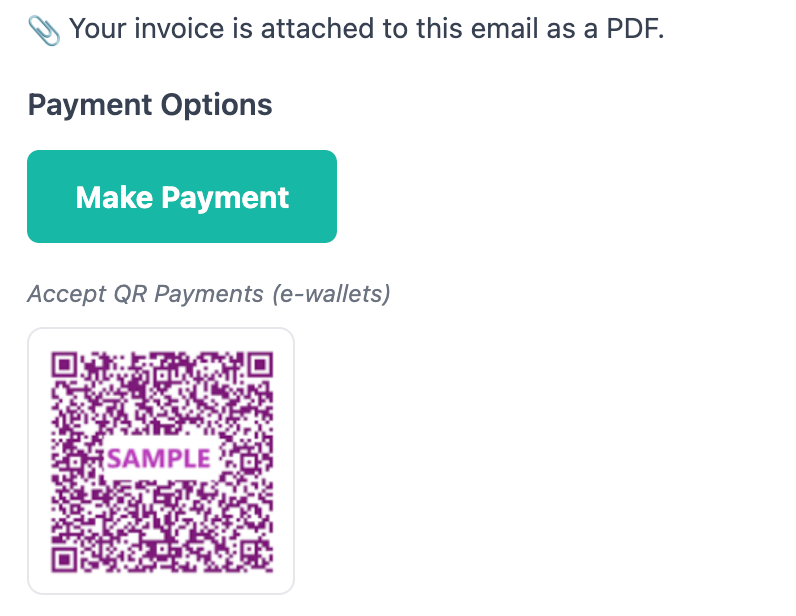
Customers receive an email with a secure payment link.
Once payment is completed, you'll receive a payment notification.
The invoice is automatically marked as Paid.
📱 QR Payment
If you have QR Payment enabled:
Customers can make payment using your QR code.
After confirming you've received the payment, simply update the invoice payment status manually.
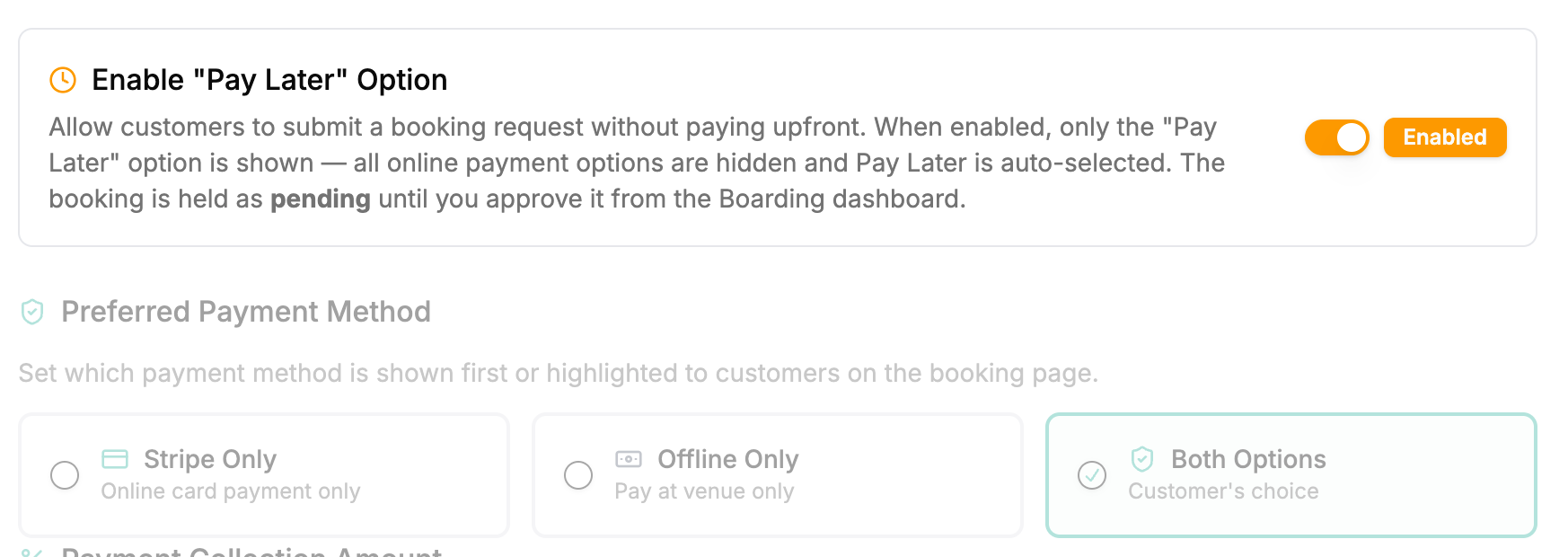
Enable Booking Approval
To start using this feature, enable it in your Dashboard:
Settings → Booking Page
https://www.gopetai.com/dashboard/settings#booking-page
Why you'll love it
✅ Review every booking before requesting payment.
✅ Make changes to dates, services, pricing, or add-ons before confirming.
✅ Avoid invoice adjustments after customers have already paid.
✅ Give your team more control over the booking process.
This feature is especially useful if you need to verify availability, adjust pricing, or confirm booking details before accepting a reservation.