POS Register: Customer-Facing Display & Faster Checkout
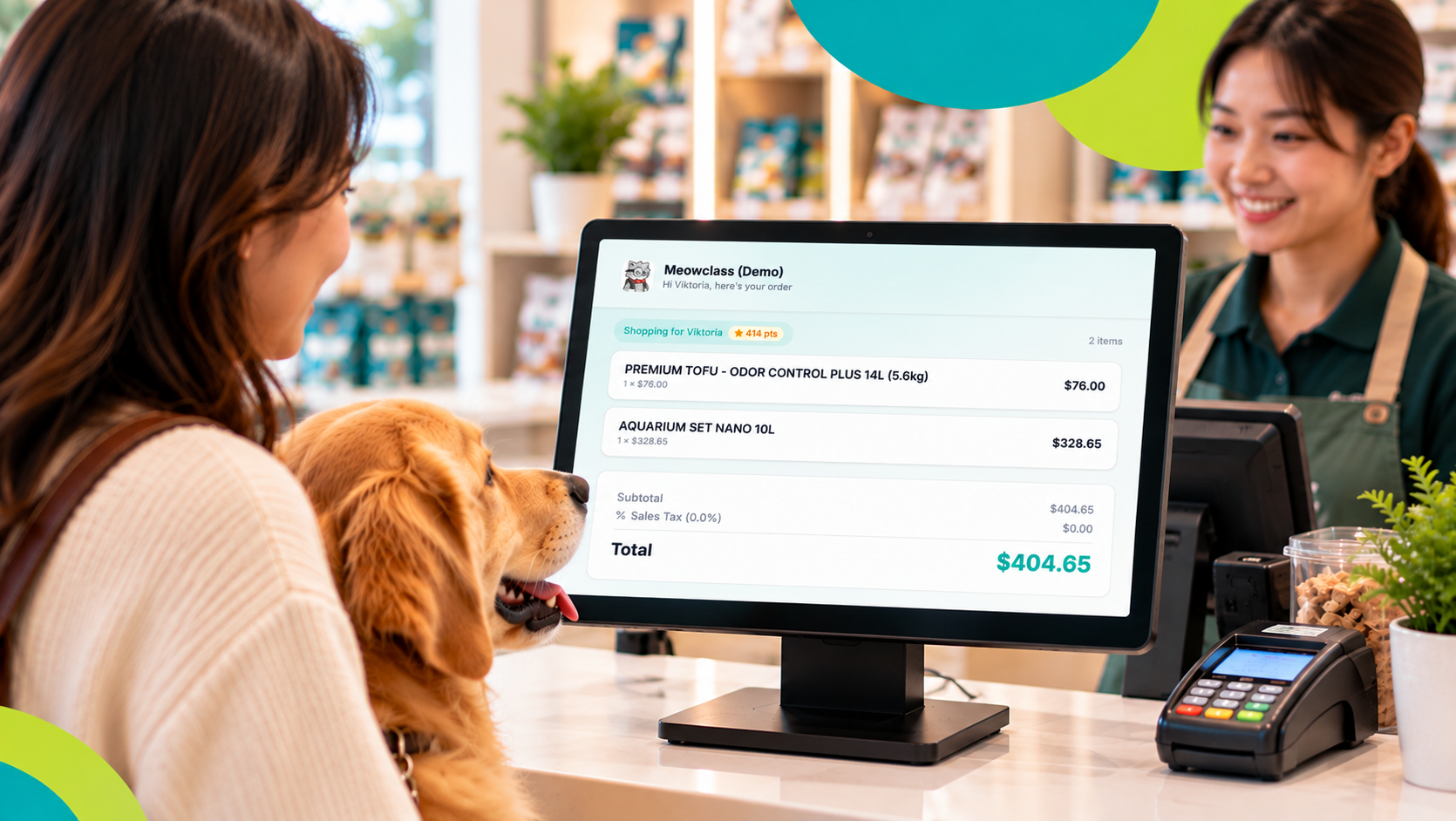
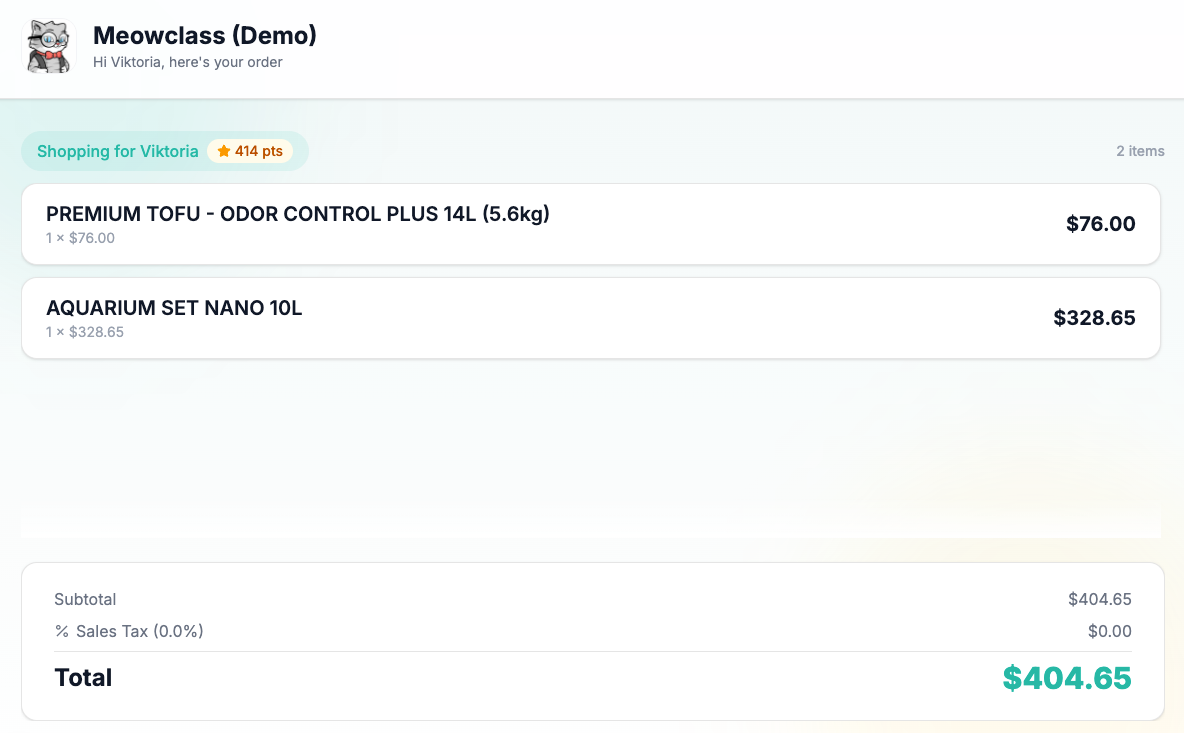
New: Customer-facing order display Running a counter with two screens? The POS register can now power a second screen facing your customer — showing your logo, a live-updating order as items are added, a personalized "Hello, [name]!" greeting when you pull up their profile, their loyalty points if they have any, and a thank-you message once payment is complete. No more customers squinting at your screen to see what they're being charged for.
Improved: Payment confirmation The "Payment Received" screen now stays on screen until you tap Done — no more disappearing before you've had a chance to confirm everything. You can also Print the receipt or View the Invoice directly from that screen, without digging through menus afterward.
Fixed: Cart visibility on busy orders Ringing up a big order? The cart now automatically scrolls to show the latest item you've added, so nothing gets missed in a long list
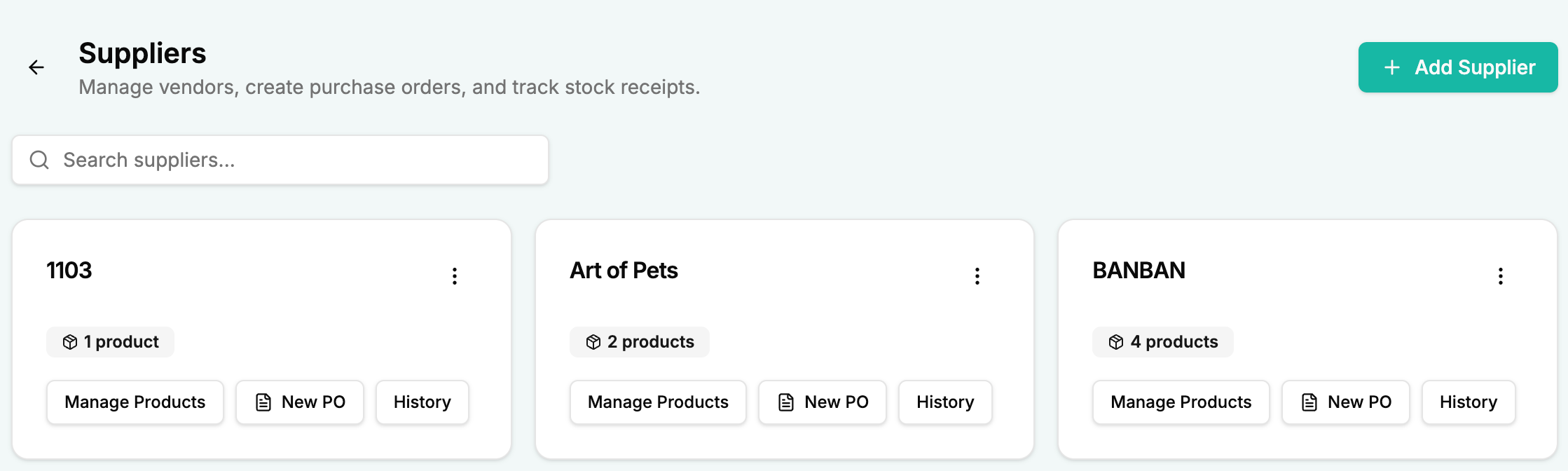
New: Supplier Management & Purchase Orders Manage your vendors right from POS → Suppliers — contact info, address, and which products each one supplies. Create a purchase order by ticking the products you need, and GoPet AI generates a PDF you can send straight to your supplier by email or WhatsApp. When stock arrives, receive it against the PO and your inventory updates automatically, with full history kept for every order.
New: Bulk-import inventory from CSV Got a spreadsheet of products already? Use the new Import button on Inventory to bulk-create or update items from a CSV file — matched by SKU, so re-importing just updates existing stock instead of duplicating it. A downloadable template with sample data is included.