🚀 POS Workflow and Cash Register Improvements – Major Update
We’ve rolled out a series of highly requested POS upgrades to improve cashier workflow, reporting accuracy, and overall usability.
All features below are now LIVE ✅
💱 1) Currency Icon Now Matches Your Settings
No more fixed dollar symbol.
POS currency icon now follows your Petcare Currency Settings
Fully aligned with your selected local currency
Cleaner invoices and register display
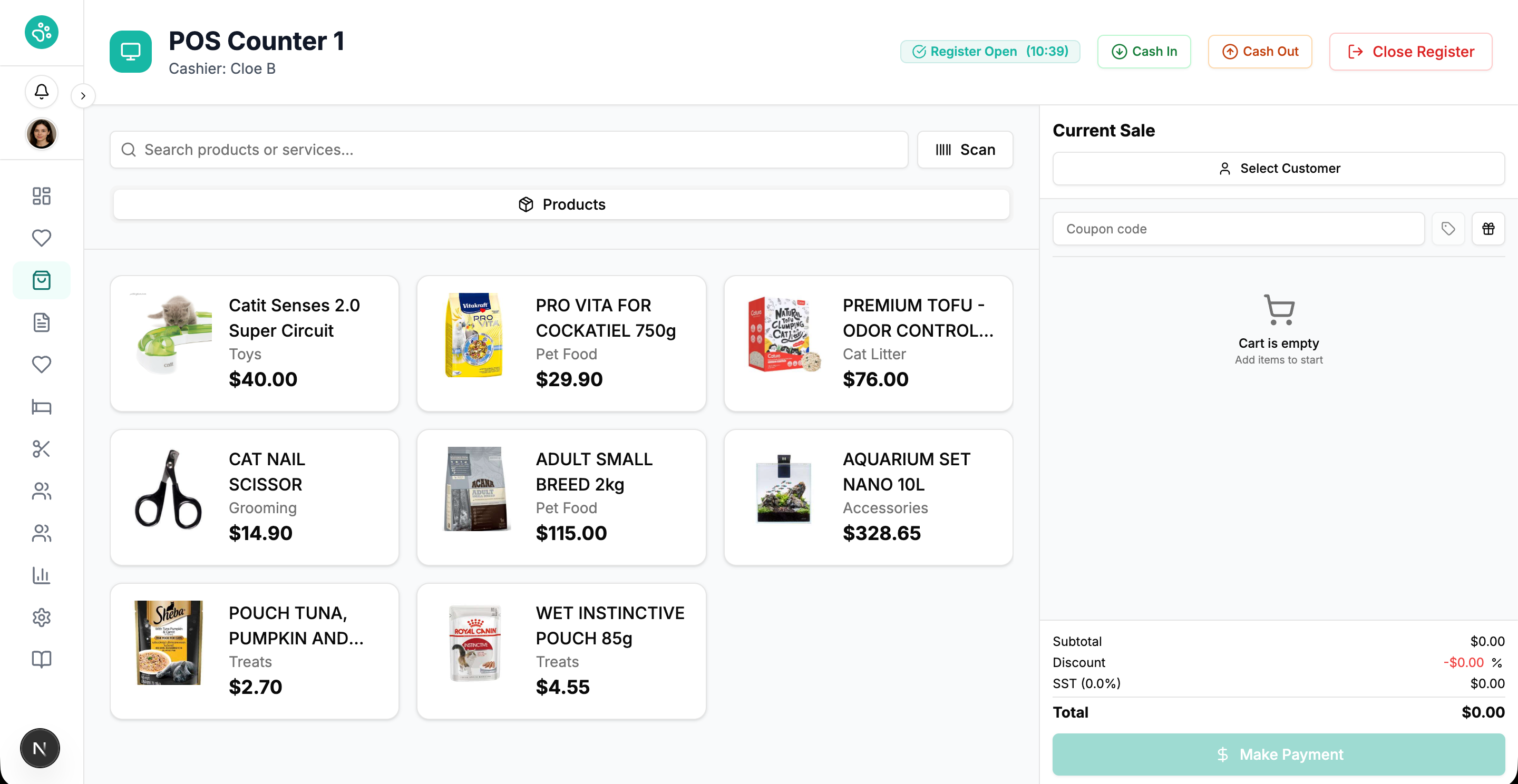
🖥️ 2) Sales Screen Now Stays in the Same Main POS Page
We’ve completely redesigned the cash register workflow.
Previously:
Clicking “Open Register” opened a new separate window
If accidentally closed, staff had to reopen register
Opening amount was requested again
Reports could mismatch drawer cash totals ❌
Now:
Sales screen operates within the same main POS page
No more separate popup window
Cashiers can navigate safely without losing session
Opening cash amount remains correctly recorded
No duplicate register openings
Accurate register reporting ✅
This prevents confusion and eliminates register mismatches.
💵 3) Cash In & Cash Out – Directly Inside Sales Screen
You can now manage drawer adjustments without closing the register.
New Buttons Added:
➕ Cash In
➖ Cash Out
Why this matters:
Add change float
Record expenses
Withdraw non-sales cash
Keep drawer totals aligned with reports
All transactions are:
Properly recorded
Included inside register reports
Reflected in real-time cash balance
📊 4) New Navigation Pages While Register Stays Open
Cashiers can now move between pages without closing their active register session.
🔎 Sales History Page
Quickly find past transactions
Process refunds & exchanges
No need to close the register
💰 Live Cash Register View
See real-time cash status
Monitor cash in / cash out activity
View expected cash total anytime
Count drawer without ending session
Smooth navigation. No workflow interruption.
🎁 5) Rewards Points Can Now Be Used as Payment
Rewards just became more powerful.
How it works:
Customers earn points automatically from purchases
During checkout, cashier can select Redeem Points
System deducts available points as a payment method
Works independently from coupons
This creates:
Faster checkout
Better loyalty experience
Higher repeat purchases
✨ What This Update Solves
Prevents accidental register reset
Eliminates cash mismatch issues
Improves cashier confidence
Speeds up daily operations
Makes loyalty system more usable