Book once, come back all month — Multi-Day Daycare Scheduling
A pet parent brings their dog in every Friday. Until now, that meant a separate booking for every single visit — four bookings, four confirmations, four invoices, four times filling in the same details. Most people won't bother; they just call, or book one day and wing the rest. Your team ends up managing the schedule in a spreadsheet.
Now they can pick all the days at once and book them as one.
What's new
On the public booking page
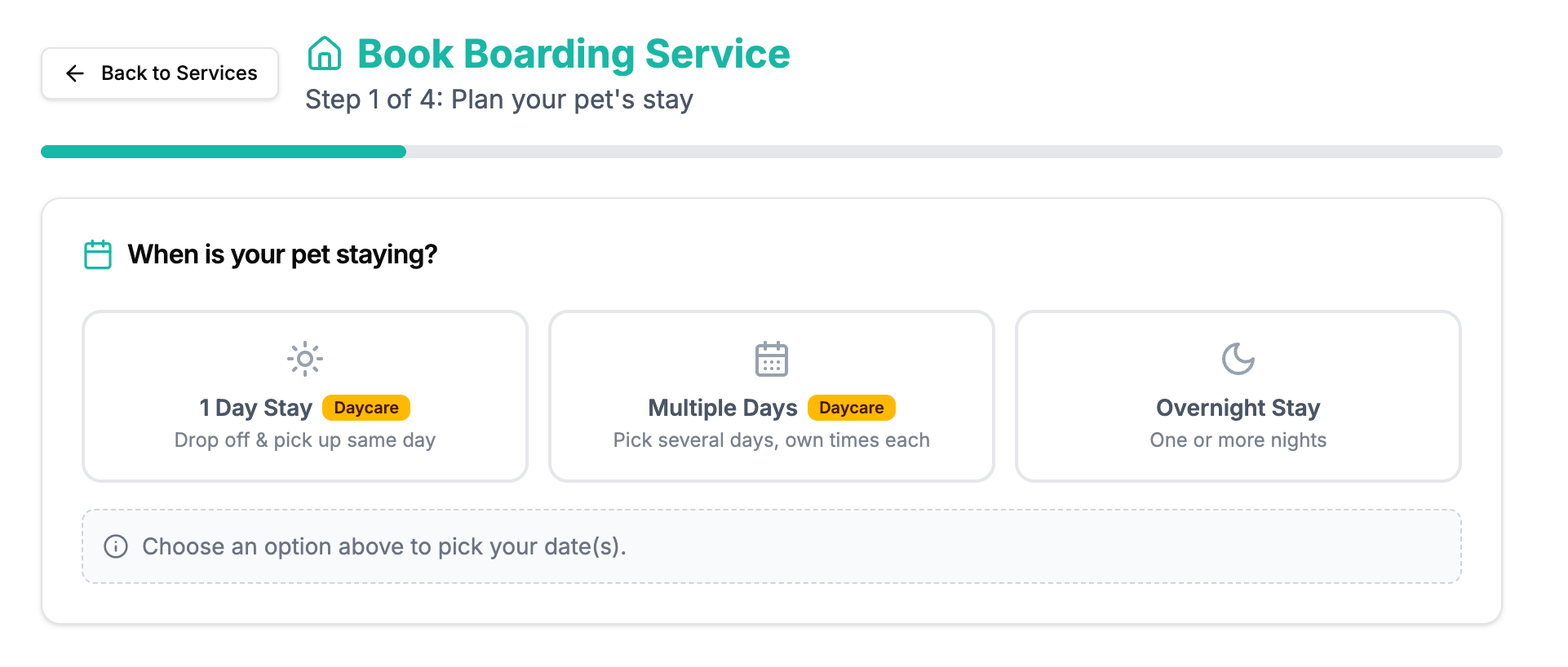
New "Multiple Days" option alongside single-day and date-range stays
Pick any days on the calendar — they don't have to be consecutive (e.g. Mon / Wed / Fri)
Set a drop-off and pick-up time per day
One confirmation, one invoice, one payment — covering every selected day
Live availability is checked for each day. If one day is full, the customer sees exactly which date (e.g. "Sep 12 is fully booked") and can tap "Remove Sep 12, then continue" to keep the rest of the booking moving
In your dashboard (New Booking)
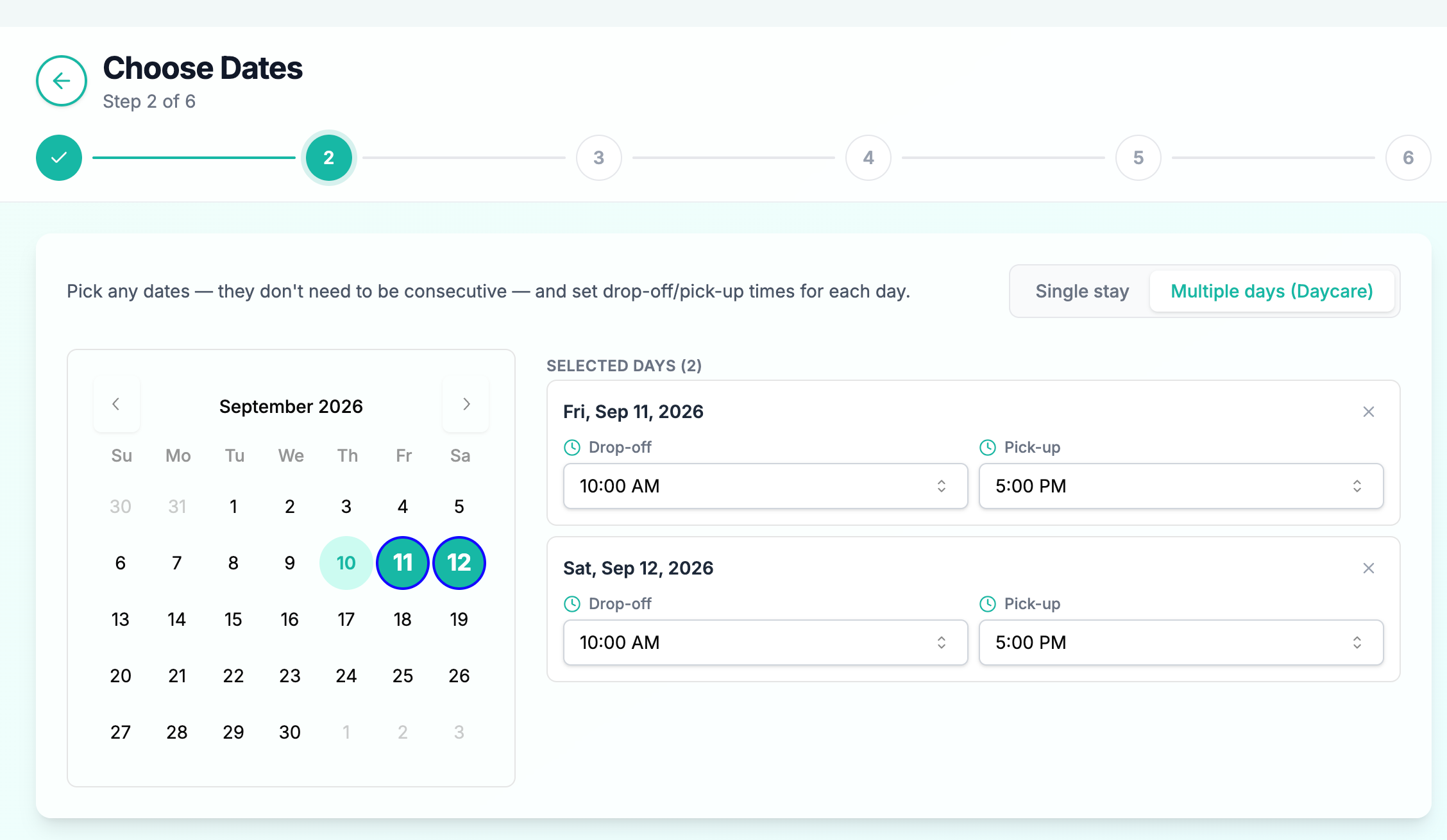
Same "Multiple days (Daycare)" mode when creating a booking for a customer
Choose days on the calendar, set per-day times, assign pets to rooms per day
Rooms are auto-assigned per day; in the booking request review you can override the room number for any single day, with occupied units clearly labelled and a free unit pre-selected
Multi-day bookings appear as one card per day in Upcoming / Today's / Current check-ins and on the calendar, so daily operations stay accurate
Add-ons, tips and discounts roll up correctly across all the selected days
Turning it on
Go to Settings → Booking Page → Multi-Day Daycare Scheduling and toggle it on. (Daycare booking must be enabled, with at least one per-day priced room.)
